
Local-First Network Management. Your Data Stays Yours
DISCOVER. DOCUMENT. SECURE. MANAGE.
Meet Bitanix NetMan — an intelligent network management platform built to discover, document, monitor, secure, and manage your entire network from one place.
1 — VISUAL NETWORK TOPOLOGY & DOCUMENTATION
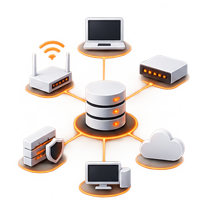
Build a clear and structured view of your network infrastructure with Bitanix NetMan’s visual topology workspace. Create and organize routers, switches, firewalls, servers, access points, storage systems, VoIP devices, cameras, cloud connections and other infrastructure components in a single interactive environment.
Each device can contain detailed operational information including hostname, vendor, model, serial number, management IPv4 and IPv6 addresses, notes, interfaces and configuration data. Connections between devices can also be documented with their local and remote interfaces, helping transform a simple network diagram into meaningful technical documentation.
Network Zones make it possible to visually separate LAN, WAN, DMZ, management and other logical or security areas. Text annotations can be added directly to the topology to document locations, warnings, paths or important operational information.
With zoom controls, automatic layout, flexible device positioning and topology export capabilities, NetMan gives network teams a centralized workspace for creating documentation that remains understandable, maintainable and useful during troubleshooting, infrastructure changes and technical handovers.
2 — IPv4, IPv6, VLAN & IP ADDRESS MANAGEMENT
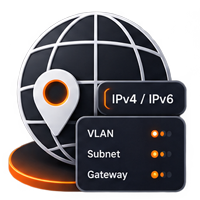
Bring addressing and segmentation documentation into the same workspace as your network topology. Bitanix NetMan includes integrated tools for documenting IPv4 and IPv6 networks, VLANs, gateways, subnets, interface addresses and manual IP reservations.
The VLAN / IP Manager helps administrators maintain a structured view of how addressing is assigned throughout an infrastructure. CIDR-based network documentation makes it possible to record both IPv4 and IPv6 environments while keeping relationships between devices, interfaces, VLANs and subnets easier to understand.
Built-in IPAM checks can highlight duplicate addresses, invalid values and potential subnet issues, helping administrators identify documentation problems before they become harder to track.
Interface records can include physical or logical interface names, descriptions, operating modes, VLAN information, IPv4 and IPv6 addresses, MAC addresses, administrative and operational states and interface speed.
Instead of maintaining disconnected spreadsheets, topology diagrams and addressing documents, NetMan brings these elements together into one project, creating a more complete and consistent source of network documentation.
3 — NETWORK DISCOVERY, SNMP & SECURE SSH
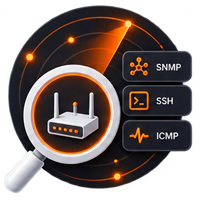
Discover and inspect authorized network infrastructure without automatically changing your documentation. Bitanix NetMan combines available ICMP, TCP, ARP, OUI and optional SNMP evidence to identify devices across authorized IPv4 networks or targeted IPv6 ranges.
Discovery results are presented for review before import, allowing administrators to verify detected information and decide which systems belong in the project. Existing manually documented information is protected from unnecessary replacement.
SNMP integration can collect useful operational evidence such as system identity, description, uptime and interface inventory. NetMan supports secure credential handling and encourages SNMPv3 for environments where stronger authentication and privacy are required.
For supported Cisco and MikroTik environments, configuration information can also be retrieved through SSH and reviewed before becoming part of the device documentation.
An integrated secure SSH terminal provides multiple tabs, IPv4/IPv6 connectivity, password or private-key authentication, host-key verification and controlled multi-line paste. SSH and SNMP credentials are stored through the operating system’s secure Keyring rather than directly inside NetMan project files.
5 — SECURITY CENTER & DEFENSIVE ASSESSMENT
Turn network documentation into actionable defensive security evidence with the Bitanix NetMan Security Center. Built-in project audits organize findings by severity and allow teams to manage each issue through a structured lifecycle including Open, In Progress, Resolved, Accepted Risk and False Positive states.
Findings can include ownership, due dates, evidence and remediation notes, helping teams move beyond simply detecting an issue toward documenting how it is being handled.
Authorized Port & Service scanning performs bounded TCP connection checks and can compare completed scans to identify newly exposed, closed or unchanged services. TLS and SSH assessments collect defensive information such as certificate validity, protocol and cipher negotiation, host keys, banners and integrity algorithms.
Firmware and CVE intelligence can associate documented firmware evidence with vulnerability research while preserving the distinction between a possible candidate and a validated vulnerability.
Security Risk Overlay brings saved device-linked findings directly onto the topology, giving administrators a visual representation of where documented risk exists and where assessment evidence may still be incomplete.
7 — AI-POWERED NETWORK ANALYSIS & REPORTING

Use documented network evidence as structured context for AI-assisted analysis. Bitanix NetMan allows administrators to select an analysis purpose, supported model and reasoning level before submitting prepared project context for AI review.
API credentials are stored in the operating system Keyring rather than directly inside the network project. Analysis runs in a background process and results can be reviewed, copied or saved as Markdown.
For environments where direct API access is not desired, NetMan can create a sanitized external AI package together with a prepared prompt for use with ChatGPT or another external model. Exported information should still be reviewed before sharing, keeping the administrator in control of what leaves the environment.
NetMan also provides purpose-specific professional PDF reporting, including Executive Summary, Device Inventory, Security Findings, Integrated Security Posture, IP/VLAN/Subnet Plan, Configuration Status and Comprehensive Documentation reports.
Reports are generated from saved project evidence, enabling the same documented infrastructure to support technical operations, management review, security assessment and formal customer handover.
4 — HARDWARE INVENTORY & ASSET MANAGEMENT
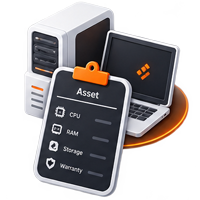
Network documentation does not stop at routers and switches. Bitanix NetMan includes a dedicated Hardware Inventory for documenting desktops, laptops, servers and other organizational assets that may not need to appear on the network topology.
Create detailed asset records containing unique Asset Tags, serial numbers, vendor and model information, assigned users, departments, physical locations, lifecycle status, purchase information and warranty dates.
Technical specifications can go deeper into the hardware itself. Document operating systems, CPU vendor and model, generation, cores and threads, motherboard information, GPUs, individual RAM modules and HDD, SSD, NVMe or SAS storage devices.
NetMan also provides maintenance-history tracking for repairs, upgrades, service providers, costs and future service dates. This allows the asset record to evolve throughout the lifecycle of the machine rather than representing only its original configuration.
Asset Certificate PDFs can be generated for individual systems, while Complete Inventory reports summarize hardware characteristics, warranty information, storage technologies, RAM capacity, CPU generations and potential upgrade candidates across the documented environment.
6 — UBUNTU SERVER AUDIT & ASSISTED REMEDIATION
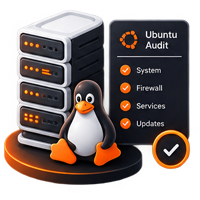
Extend infrastructure documentation into server security with Bitanix NetMan’s dedicated Ubuntu Server Audit. The feature performs a bounded, read-only assessment over verified SSH for supported Ubuntu Server environments, including Ubuntu Server 22.04 and 24.04.
The baseline reviews evidence related to system identity, kernel, CPU and memory, filesystem capacity, time synchronization, update state, local and privileged accounts, sudo configuration, SSH settings, firewall status, listening sockets, systemd services and logging.
Advanced inspection can also identify relevant Docker metadata and public port publication, Nginx or Apache listeners, supported database listeners, Fail2ban state, readable certificate expiry information and backup-readiness indicators without requesting database credentials or collecting container secrets.
Historical runs make it possible to review drift between assessments, including new findings, resolved findings and changed evidence.
For selected supported findings, NetMan can provide separately approved assisted remediation with preview, verification, backup and rollback considerations. High-risk SSH and firewall changes include additional verification safeguards rather than silently applying arbitrary remote commands.
8 — KNOWLEDGE BASE, RUNBOOKS & NETWORK HANDOVER

Preserve the operational knowledge behind the network, not just its devices. Bitanix NetMan includes a searchable Knowledge Base for creating technical articles and step-by-step Runbooks that can exist independently or be linked directly to infrastructure devices.
Articles support categories, tags, favorites, approval status, revision history and embedded attachments. Run Mode transforms documented procedures into controlled operational workflows by recording the operator, completed steps, notes, completion status and rollback guidance.
Network Handover Mode takes this concept further by turning saved network documentation into a structured transfer package for different audiences including executives, network engineers, help desk teams, contractors and auditors.
A documentation Readiness Score identifies gaps across topology, addressing, device identity, interfaces, firmware, configuration recovery, contacts and Runbook coverage. Guided Tour can then walk recipients through the documented infrastructure from the Internet edge through routing, switching, services and storage.
Finally, NetMan can generate branded handover documentation and encrypted emergency packages designed to support knowledge transfer while deliberately keeping credentials and raw configurations outside the package.
TAKE CONTROL OF YOUR NETWORK. BEFORE YOUR NETWORK TAKES CONTROL OF YOU.
Stop managing critical infrastructure through scattered spreadsheets, outdated diagrams, disconnected tools and undocumented knowledge.
Bitanix NetMan brings your network into one intelligent workspace — topology, IPAM, discovery, SSH, SNMP, hardware inventory, security assessment, Ubuntu auditing, AI-powered analysis, professional reporting and operational knowledge.
See what you have.
Understand how it connects.
Find what needs attention.
Document what matters.
Secure what you manage.
From everyday network operations to security reviews, infrastructure changes and complete customer handovers, NetMan turns fragmented technical information into structured, actionable knowledge.
One network. One source of truth. One powerful platform.
DISCOVER. DOCUMENT. SECURE. MANAGE.